Disclosure: This post contains affiliate links. If you purchase through
these links, I may earn a small commission at no extra cost to you. I only recommend
tools I genuinely believe in.
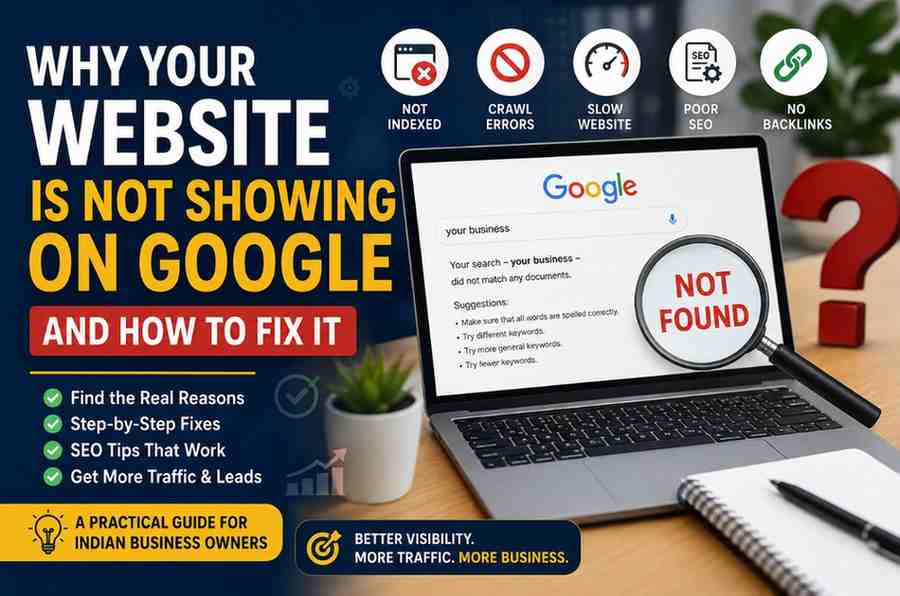
Why Your Website Is Not Showing on Google and How to Fix It
You launched your website. Maybe you spent weeks designing it. You shared it with friends, posted it on Instagram, and even printed it on your visiting card.
Then you searched for your business on Google… and nothing appeared.
If your website not showing on Google, don’t panic. Honestly, this is one of the most common problems small business owners in India face. I’ve seen local shops, agencies, salons, tuition centres, and even ecommerce stores struggle with it.
The good news? Most of the time, the issue is fixable.
In this guide, I’ll explain the real reasons why your site may not appear on Google and exactly what you can do to solve it.
Why Your Website Not Showing on Google Happens So Often
Many people think creating a website automatically means Google will display it instantly.
Sadly, it doesn’t work like that.
Google needs to discover, crawl, understand, and trust your website before ranking it in search results. If even one of those steps fails, your pages may stay invisible.
I once worked with a small bakery owner from Coimbatore who spent nearly ₹40,000 on a beautiful website. Six months later, the site still had zero traffic from Google.
The reason? The developer accidentally blocked search engines in WordPress settings.
A tiny checkbox. Big problem.
1. Your Website Is Not Indexed by Google
If your pages are not indexed, Google simply doesn’t know your website exists.
How to Check if Your Site Is Indexed
Go to Google and search:
site:yourwebsite.com
If nothing appears, your pages are probably not indexed.
How to Fix It
- Create a free account on Google Search Console
- Submit your sitemap
- Request indexing manually
- Check for crawl errors
Google Search Console is honestly something every business owner should use. It tells you exactly how Google sees your website.
2. Your Website Has a “No Index” Tag
Sometimes websites accidentally tell Google not to index them.
Yes, really.
It happens often after website redesigns, staging site migrations, or beginner WordPress setups.
Common Causes
- “Discourage search engines” enabled in WordPress
- Noindex meta tags
- Developer forgot to remove testing settings
How to Fix It
If you use WordPress:
- Go to Settings → Reading
- Uncheck “Discourage search engines from indexing this site”
- Save changes
Then request indexing again in Google Search Console.
3. Your Website Is Too New
New websites usually don’t rank immediately.
Google takes time to trust fresh domains. Sometimes it may take a few days. Competitive industries may take months.
Many Indian business owners expect instant rankings after launching their site. That expectation creates frustration quickly.
SEO is slower than Instagram ads. But once rankings improve, the traffic becomes much more stable.
What You Should Do
- Publish helpful content regularly
- Build backlinks naturally
- Improve technical SEO
- Stay consistent
4. Poor SEO Structure Is Hurting Visibility
Sometimes Google indexes your pages but still doesn’t rank them.
That usually means your SEO setup is weak.
Common SEO Problems
- Missing page titles
- No meta descriptions
- Thin content
- Duplicate pages
- Keyword stuffing
- Slow loading speed
I’ve seen websites where every page title was simply “Home.” Google had no idea what the business actually offered.
Your content must clearly explain:
- What you do
- Where you operate
- Who you help
5. Your Website Content Is Too Thin
Google prefers websites that genuinely help users.
If your pages contain only a few lines with no useful information, rankings become difficult.
For example, many local business websites in India have service pages with just:
“We provide best digital marketing service. Contact us today.”
That’s not enough anymore.
What Better Content Looks Like
- Clear explanations
- Pricing details
- Frequently asked questions
- Real examples
- Location-based information
- Customer benefits
Google wants depth. Real value matters more than fancy design.
Quick Tip: Before publishing any page, ask yourself: “Would this page genuinely help someone make a decision?” If the answer is no, improve the content.
6. Website Speed Problems Can Reduce Rankings
Slow websites frustrate users.
Google notices that.
I personally leave websites if they take more than a few seconds to load. Most users do the same.
Common Speed Issues
- Huge image files
- Cheap hosting
- Too many plugins
- Heavy themes
- Unoptimized code
How to Improve Speed
- Compress images before uploading
- Use caching plugins
- Choose reliable hosting
- Remove unused plugins
- Use lightweight themes
You can test speed using Google PageSpeed Insights.
7. Your Website Is Not Mobile Friendly
Most Indian users browse through mobile phones.
Google knows that. Mobile experience matters a lot.
If your site looks broken on mobile devices, rankings can suffer badly.
Things to Check
- Text should be readable
- Buttons should be clickable
- Menus should work properly
- Pages should load fast
- Images should resize correctly
Test your site on your own phone. You’ll notice issues faster than using desktop alone.
8. You Have No Backlinks or Online Authority
Google uses backlinks as trust signals.
If no websites mention or link to your business, ranking becomes harder.
Think of backlinks like recommendations.
If many trusted websites mention your business, Google gains confidence in your site.
Simple Ways to Build Backlinks
- Create useful blog posts
- List your business in directories
- Collaborate with local bloggers
- Share case studies
- Get mentioned in local news websites
Avoid buying cheap backlinks from random Fiverr gigs. I’ve seen businesses destroy rankings that way.
9. Local SEO Is Missing
If you run a local business, local SEO matters more than national rankings.
A salon in Chennai does not need traffic from Delhi.
You need nearby customers.
Local SEO Basics
- Create a Google Business Profile
- Add city names naturally
- Collect reviews
- Use location-specific pages
- Add contact details clearly
Many small businesses completely ignore local SEO. Huge mistake.
Local searches often convert faster because users already intend to buy.
10. Your Competitors Are Doing Better SEO
Sometimes your website is technically fine.
Your competitors are simply stronger.
Maybe they publish content regularly. Maybe they have older domains, stronger backlinks, or better user engagement.
SEO is competitive now, especially in industries like:
- Digital marketing
- Real estate
- Education
- Healthcare
- Ecommerce
Instead of copying competitors blindly, study what they’re doing right.
Tools like Moz and Semrush can help analyze competitor SEO strategies.
One Thing Most SEO Articles Never Mention
Here’s something I’ve personally noticed after working with many Indian businesses.
Google increasingly rewards websites that feel authentic.
Not “perfect.” Authentic.
Websites with real photos, genuine service descriptions, local examples, founder stories, and customer trust signals often perform better than overly polished AI-generated pages.
Many businesses are mass-producing robotic SEO content now.
Ironically, sounding more human is becoming a competitive advantage.
How Long Does It Take for Google to Show Your Website?
Honestly, there’s no exact timeline.
Sometimes indexing happens within hours. Sometimes rankings take months.
Typical SEO Timeline
- Indexing: Few days to few weeks
- Initial rankings: 1 to 3 months
- Strong SEO growth: 6 to 12 months
Consistency matters more than speed.
Most businesses quit SEO too early. That’s why patient businesses often win.
Useful Resources to Learn More
If you want to improve your online visibility, spend time learning basic SEO regularly.
You can also check our:
Final Thoughts
If your website not showing on Google, don’t assume your business has failed online.
Most websites struggle in the beginning. That’s normal.
SEO is not magic. It’s a process. Small improvements made consistently create big results over time.
Start simple.
Fix indexing problems. Improve your content. Make your website faster. Help real people instead of chasing search engines blindly.
Google’s job is to give users the best answers. If your website genuinely helps visitors, rankings usually follow.
Keep going. Seriously.
The businesses that stay patient and continue improving are the ones that eventually dominate search results.
Is Your Hosting Affecting Your Google Rankings?
Sometimes your website isn’t showing on Google because your hosting is too slow or
unreliable. Google prioritises fast-loading websites. If you’re on cheap or shared hosting,
consider switching to Hostinger — it’s trusted by over 3 million websites
worldwide and starts at ₹69/month in India.
Need Professional SEO Help?
Get Free SEO Help from a Coimbatore Digital Marketing Expert