Have you ever wondered why your competitor’s website appears on Google while yours struggles to get visitors?
You’re not alone.
Many small business owners in India know SEO is important, but they assume they need expensive software to compete online. The good news is that’s simply not true.
Some of the best SEO tools available today are completely free. In fact, many professional marketers still use these tools daily, even when they have access to premium software.
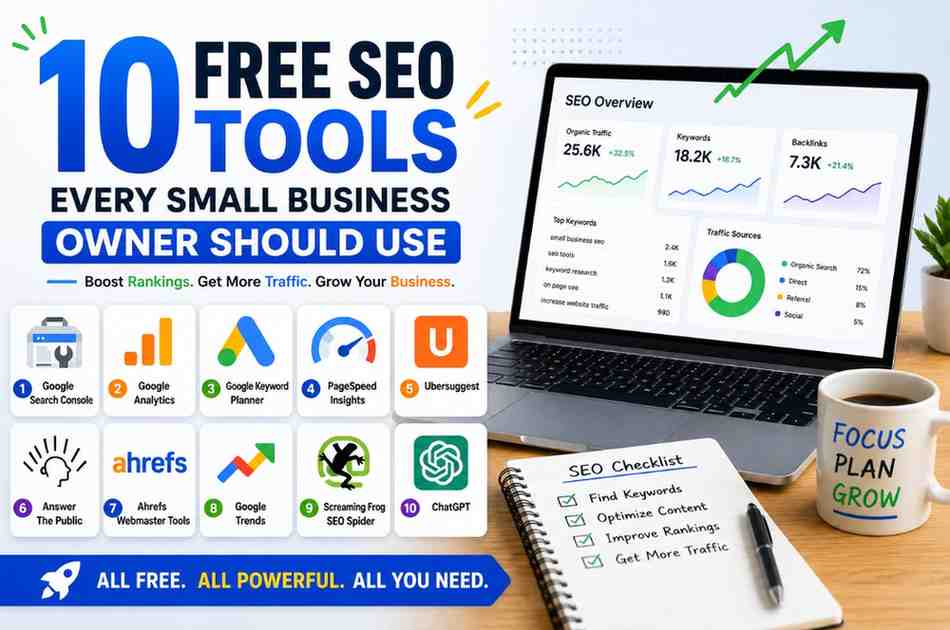
If you’re looking for free SEO tools every small business owner should use, this guide will save you both time and money. We’ll cover practical tools that help with keyword research, website performance, rankings, content ideas, and technical SEO.
Let’s get started.
Why Free SEO Tools Matter for Small Businesses
Most small businesses don’t have unlimited marketing budgets.
Spending thousands every month on SEO software isn’t always realistic.
Free tools allow you to understand your website, identify problems, discover opportunities, and improve your rankings without major investment.
One local business owner I worked with improved organic traffic by nearly 60% within six months using mostly free tools and consistent effort.
Tools don’t create results by themselves. But they help you make smarter decisions.
1. Google Search Console
Best for Website Performance Monitoring
If I could recommend only one free SEO tool, it would be Google Search Console.
Google literally tells you how your website performs in search results.
What You Can Do
- Track keyword rankings
- Find indexing issues
- Monitor clicks and impressions
- Submit sitemaps
- Check mobile usability
- Identify page performance
Many business owners ignore Search Console. That’s a mistake because valuable SEO data is already available for free.
Learn more at Google Search Console.
2. Google Analytics 4
Best for Understanding Website Visitors
Traffic alone doesn’t tell the full story.
You need to know what visitors actually do after arriving.
Google Analytics helps answer those questions.
Useful Insights
- Traffic sources
- User behaviour
- Popular pages
- Bounce rates
- Conversions
- Audience demographics
When paired with Search Console, you get a much clearer picture of your SEO performance.
3. Google Keyword Planner
Best for Keyword Research
Keyword research remains the foundation of SEO.
If you’re targeting the wrong keywords, even great content can struggle.
Google Keyword Planner helps identify what people are searching for.
Why It’s Useful
- Keyword ideas
- Search volume estimates
- Competition levels
- Related search terms
Many small business owners focus only on broad keywords. Long-tail keywords often bring better results because competition is lower.
4. Google PageSpeed Insights
Best for Website Speed Analysis
Slow websites frustrate visitors.
Google notices that too.
PageSpeed Insights helps identify performance issues affecting both users and rankings.
Common Problems It Finds
- Large images
- Slow loading elements
- JavaScript issues
- Mobile performance problems
A fast website often improves both rankings and conversions.
5. Ubersuggest
Best for Beginner-Friendly SEO Research
Ubersuggest is one of the easiest SEO tools for beginners.
The interface is simple and the data is easy to understand.
Features Available
- Keyword suggestions
- SEO difficulty scores
- Content ideas
- Competitor analysis
- Traffic estimates
For small businesses just starting with SEO, it’s a great learning tool.
6. AnswerThePublic
Best for Content Ideas
Running out of blog topics?
AnswerThePublic shows questions people ask around your topic.
These questions often make excellent blog posts, videos, and social media content.
Example
If you search “SEO,” you’ll discover questions like:
- How does SEO work?
- Why is SEO important?
- How long does SEO take?
Content that answers real questions usually performs better than generic articles.
7. Ahrefs Webmaster Tools
Best for Backlink Monitoring
Backlinks still play an important role in SEO.
Ahrefs Webmaster Tools gives website owners access to useful backlink data without paying for a full subscription.
What You Can Monitor
- Backlinks
- Referring domains
- Technical SEO issues
- Site health reports
Many business owners discover valuable opportunities after reviewing their backlink profiles.
8. Google Trends
Best for Finding Trending Topics
Timing matters in content marketing.
Google Trends shows what people are searching for right now.
It’s especially useful for seasonal businesses.
Examples
- Festival campaigns
- IPL-related content
- Seasonal products
- Local trends
Publishing content before a topic becomes popular often produces better results.
9. Screaming Frog SEO Spider (Free Version)
Best for Technical SEO Audits
Technical SEO can seem intimidating.
Screaming Frog makes it easier to spot problems.
What It Checks
- Broken links
- Missing titles
- Duplicate content
- Redirect issues
- Meta descriptions
The free version is usually enough for smaller websites.
Quick Tip: Don’t obsess over every technical SEO issue immediately. Focus first on problems that directly affect user experience and search visibility.
10. ChatGPT
Best for SEO Content Assistance
AI isn’t replacing SEO.
But it can make your work faster.
ChatGPT can help with:
- Content outlines
- Blog ideas
- Title suggestions
- Meta descriptions
- Keyword clustering
- FAQ generation
Always add your own expertise and experience. Human insight still matters.
How to Use These Free SEO Tools Together
The real magic happens when you combine tools.
Here’s a simple workflow many small businesses can follow:
- Find keywords with Keyword Planner
- Discover content ideas using AnswerThePublic
- Create content
- Track rankings in Search Console
- Monitor traffic in Analytics
- Improve speed using PageSpeed Insights
- Check backlinks with Ahrefs Webmaster Tools
You don’t need expensive software to build an effective SEO process.
A Common Mistake Small Business Owners Make
Many people spend hours testing tools and very little time creating content.
That’s backwards.
Tools support strategy. They don’t replace action.
I’ve seen websites with premium SEO software struggle because they rarely publish useful content.
Meanwhile, businesses using mostly free tools often outperform competitors simply because they stay consistent.
That’s an insight many SEO guides rarely mention.
Helpful Resources for Learning SEO
If you want to improve your SEO knowledge further, these resources are worth exploring:
You can also explore our:
Final Thoughts
The idea that SEO requires expensive tools stops many small business owners from getting started.
Thankfully, that’s no longer true.
The free SEO tools every small business owner should use can help you identify opportunities, improve rankings, monitor performance, and grow organic traffic without stretching your budget.
Start with Google Search Console and Google Analytics.
Then gradually add other tools as your confidence grows.
Remember, SEO success rarely comes from one big breakthrough.
It usually comes from small improvements made consistently over time.
Start today. Your future customers are already searching.
Need Professional SEO Help?
Get Free SEO Help from a Coimbatore Digital Marketing Expert